The Clockify Alternative with Real Profitability Analytics
Verdict
Clockify wins on a free plan. CronLoom wins when you want more than a count of the hours you logged: a floor rate kept in view, and a flag the moment a client or fixed bid slips below it.
Pricing verified 2026-06-02. Figures change, so check each tool's pricing page for current numbers.
The longer story
Clockify's pitch is simple and effective: free, unlimited time tracking. For someone who just needs a timer and a basic timesheet, it's hard to beat on price. Its paid tiers (roughly $4–$15/user) add reporting, but the analytics stay basic. Totals, billable amounts, exports.
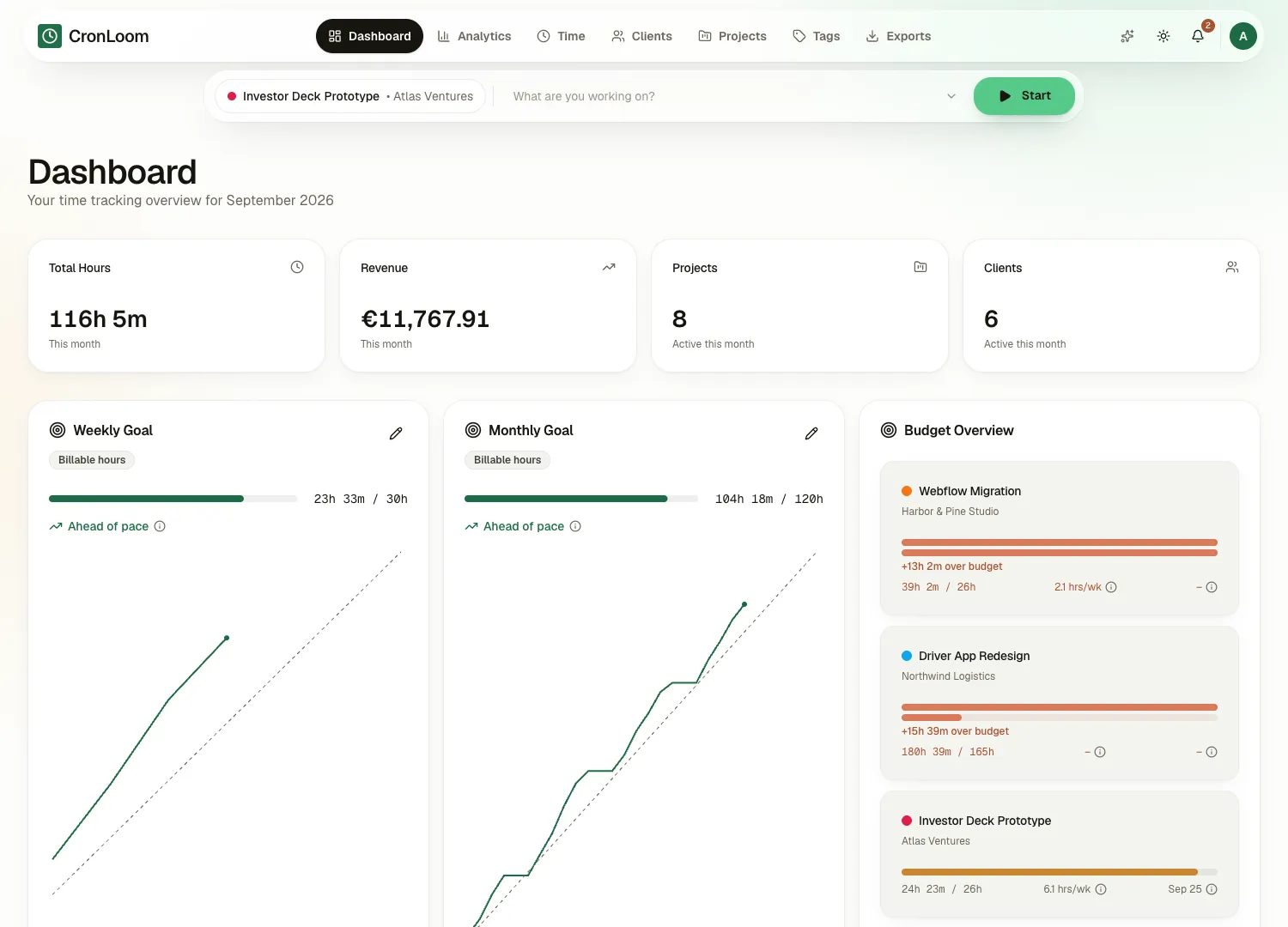
People leave Clockify for one reason. They track diligently, but the timesheets never keep score against the rate they decided their time is worth: is this work still paying my floor? CronLoom is built for that moment. You set a floor rate, and CronLoom keeps your floor in view: it flags every client and fixed bid that slips below it, ranks who actually pays it, and projects where the month lands. It's free during early access and then a flat $9/month with no permanent free tier, a focused freelancer tool rather than a free utility. EU-hosted, GDPR-first, with no upsell maze.
Side by side
Clockify vs CronLoom at a glance
| What you get | Clockify | CronLoom |
|---|---|---|
| Price | Free; paid ~$4–$15/user | Free in early access, then $9/mo flat |
| Free tier | Unlimited free tracking | Free during early access, no permanent free tier |
| Profitability analytics | Conventional reports + billable totals | Rate analytics: floor flagging, fixed-fee margins, projected income |
| Plan structure | Multiple tiers | One plan, everything included |
| Built for | Everyone (teams + solo) | Solo freelancers |
| Hosting / privacy | US-based | EU-hosted, GDPR-first, no ad trackers |
Where Clockify genuinely wins
- A truly free plan with unlimited tracking and users. Hard to beat if budget is the only concern.
- Broad feature surface (scheduling, kiosk, expenses) across its paid tiers.
- Familiar, widely-used interface with lots of community documentation.
Where CronLoom fits better
- Rate analytics (floor flagging, fixed-fee margins, projected income) instead of conventional timesheet totals.
- A single focused plan rather than a five-tier upsell ladder.
- EU-hosted, GDPR-first, no ads and no cross-site tracking.
- Designed specifically around the solo freelancer's decisions, not generic time tracking.
The reason to switch
The analytics are why people move
You set a floor rate, and CronLoom keeps score against it: which clients really pay it, how fixed bids are tracking, where the month lands. It's visible at a glance and updates as you track.
Join the waiting listNo credit card · no contracts
Bringing your history
Switching from Clockify
Export your Clockify time entries to CSV (Reports → Detailed → Export). CronLoom reads that shape, but treat it as experimental: the reader follows Clockify's documentation rather than a real export we have run through it. Worth checking first: Clockify keeps CSV and Excel export on Basic and above. The free plan exports PDF, which CronLoom does not read.
Questions, answered straight
Frequently asked questions
- Is CronLoom free like Clockify?
- Clockify has a permanent free plan. CronLoom is free during early access, then a flat $9/month with no permanent free tier. The trade is that CronLoom adds rate analytics Clockify's free plan doesn't have: floor flagging, fixed-fee margins and projected income. It also stays ad-free and EU-hosted.
- Why switch from a free tool to a paid one?
- Because the job changes. Free trackers count how many hours you logged. CronLoom keeps score against a floor rate you set: it flags the clients and fixed bids that have slipped below it, so you can see clearly what you charge and who you keep working with.
- Can I import my Clockify data?
- Experimentally. A Detailed Report CSV should come across with entries, client and project names, but we have not tested against a real Clockify export yet, and CSV export needs Basic or higher. Free-plan PDF exports are not supported. The preview shows what would be created before anything is written.
- Where is my data hosted?
- In the EU. CronLoom is GDPR-compliant and runs no ads or third-party trackers.